iOS, Android or Both? How to Choose for Your App in 2026
Most business apps in 2026 should launch on both iOS and Android from one cross-platform codebase, which usually costs 30–40% less than building two native apps. Here's how to decide between iOS, Android or both, when native is worth the extra money, how React Native and Flutter compare, and when it makes sense to launch on one platform first.
By Elizabeth Mathers, Content Writer at BuildHive, a custom software studio in Novi, Michigan, founded in 2012.
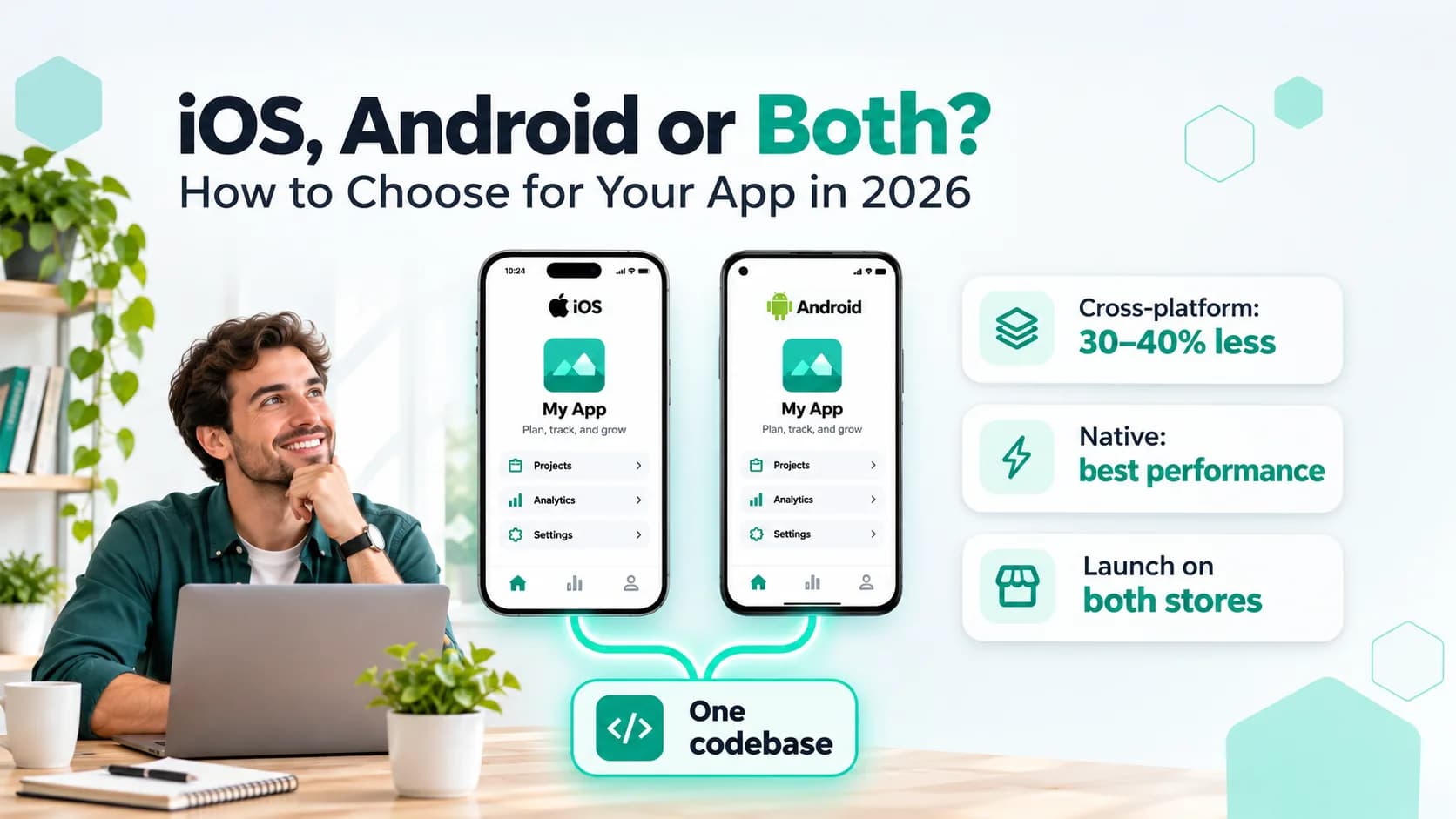
For most business apps in 2026, the answer is both, built from one cross-platform codebase. Tools like React Native and Flutter let one team write the app once and ship it to the App Store and Google Play, which usually costs 30–40% less than building two separate native apps. Build fully native, or launch on one platform first, only when you have a specific reason to.
The rest of this guide covers those reasons: who your users are, what the app needs to do, your budget and how fast you need to launch. By the end you'll know which of the four options fits your app.
Rather have a senior engineer make the call for your app? Talk to BuildHive's mobile studio: a senior engineer will recommend a platform plan, with honest feedback on scope, timeline and budget.
Key takeaways
- For most business apps, build for both iOS and Android from one cross-platform codebase. It usually costs 30–40% less than two native apps.
- In the US roughly 55–60% of smartphones are iPhones; worldwide about 7 in 10 run Android.
- Go native for heavy graphics or AR, real-time audio or video, deep hardware access, or platform-specific features at the center of the app.
- React Native and Flutter are both mature and free; pick the one that fits your product and the team you will hire later.
- Launch on one platform first only if nearly all your early users are on it, and build it cross-platform anyway.
What are your four options?
| Option | Typical MVP cost (USD) | Best for |
|---|---|---|
| Cross-platform (iOS + Android, one codebase) | $35,000 – $90,000 | Most business, customer and marketplace apps |
| iOS only, native | $30,000 – $70,000 | US consumer apps testing an idea, or apps for an all-iPhone team |
| Android only, native | $30,000 – $70,000 | Global audiences, field teams on Android devices, emerging markets |
| Two native apps (Swift + Kotlin) | $60,000 – $160,000 | Apps that need top performance or deep phone features on both platforms |
Planning ranges for a production-ready first version at a US studio. Our full breakdown of how much a mobile app costs in 2026 covers bigger apps and yearly running costs.
Start with your users, not the technology
The right platform is wherever your customers already are. A few rules of thumb:
- In the US, it's close to even, leaning iPhone. Roughly 55–60% of smartphones in use in the US are iPhones. If you launch on one platform only, you leave out 4 in 10 Americans.
- Worldwide, Android is the majority. About 7 in 10 phones on earth run Android, and in much of Latin America, Africa, India and Southeast Asia it's closer to 9 in 10.
- iPhone users spend more inside apps. Shoppers on the App Store spend roughly twice as much as those on Google Play. If your app makes money from subscriptions or in-app purchases, iOS usually brings in revenue faster.
- Business users are mixed. Office staff lean iPhone in the US, while field crews, warehouses and delivery fleets often use rugged Android devices that the company provides.
If you don't know which phones your customers carry, check your website analytics. The device report shows the split between iPhone and Android visitors, and that's usually a good guide to who will download your app.
Native vs. cross-platform: what's the difference?
Native means building each app with Apple's or Google's own tools: Swift for iPhone and Kotlin for Android. You get two codebases and often two teams, with full access to everything the phone can do.
Cross-platform means writing the app once with a framework like React Native or Flutter, which then runs on both platforms. One team, one codebase, and one set of features to test.
| Cross-platform | Two native apps | |
|---|---|---|
| Cost | Lower: one codebase | Roughly 1.6–2× higher |
| Time to launch | Faster: both stores on the same day | Slower, or one platform lags behind |
| Look and feel | Close to native for most apps | Exactly native |
| Performance | Smooth for typical business apps | Best for heavy graphics, AR and real-time audio or video |
| New Apple/Google features | Available after a short wait | Available on day one |
| Updates | Fix once, ship to both | Fix twice |
| Hiring later | One skill set | Two skill sets |
Cross-platform apps are no longer the clunky compromise they were ten years ago. Many apps you use every day are built this way. Shopify, Discord and parts of Microsoft's apps use React Native, and Google Pay and BMW's app use Flutter. Most people can't tell the difference.
When native is worth the extra money
Pay for two native apps when the app's main job depends on the phone itself:
- Heavy graphics or AR. 3D, augmented reality, games and advanced camera features.
- Real-time audio or video. Live streaming, video calls, music production.
- Deep hardware access. Bluetooth devices, health sensors, background location tracking all day, or medical equipment.
- Platform-specific features at the center of the app. For example Apple Watch apps, home-screen widgets, CarPlay or Android Auto.
- Very large apps with big teams. When you have separate iOS and Android teams anyway, native can make sense at scale.
Even then, it isn't always all or nothing. A cross-platform app can include small native modules for the one feature that needs them. That's often the best of both: one codebase for 90% of the app, and native code just where it matters.
React Native vs. Flutter
Both are mature, free, and backed by big companies (Meta and Google). For most apps either one will do the job well. The differences:
| React Native | Flutter | |
|---|---|---|
| Backed by | Meta | |
| Language | JavaScript / TypeScript | Dart |
| Looks | Uses the phone's own buttons and screens | Draws every pixel itself, so it looks the same on both |
| Shares code with the web | Yes, easily with a React website | Partly |
| Hiring | Large pool of JavaScript developers | Smaller, growing pool |
| Best for | Apps that sit next to a web product, teams that already use React | Highly custom, brand-heavy designs, and consistent animation |
A good studio picks the framework that fits your product and your future team, not the one they happen to like. Ask why they recommend it, and how easily you could hire developers for it later.
Should you launch on one platform first?
Launching on one platform first is a reasonable way to save money, but the savings are smaller than they look. Building cross-platform costs only about 15–25% more than a single native app, and it covers twice the audience.
One platform first makes sense when:
- You're testing a consumer idea on a tight budget and almost all your early users are on one platform.
- Your app is for a company team that all use the same type of device.
- The app relies heavily on one platform's features, like Apple Health or Android's home-screen customization.
It's usually a mistake when:
- You run marketplaces or social apps. Buyers, sellers and friends are on both platforms, and the app is only useful if they can all join.
- You're spending money on ads. Half your clicks will land on a store page with nothing to download.
- You'll build the second app within a year anyway. Rebuilding later usually costs more than building both at the start.
If you do start with one platform, have the app built cross-platform anyway. Adding the second platform then takes weeks, not months.
What about launching in the App Store and Google Play?
A few practical details that affect your launch date:
- Developer accounts: Apple charges $99 a year; Google charges a one-time $25. Set up both early, since company accounts need business verification that can take a week or more.
- App review: Apple reviews every app and update by hand, usually within one to two days. Google's review is mostly automated but can take a few days for a new app.
- Testing rules: Google requires new personal developer accounts to run a closed test with real testers for two weeks before going public. A company account avoids most of this wait.
- Store fees: both stores take 15–30% of digital sales made inside the app, such as subscriptions. Physical goods and services, like food orders or bookings, are not charged.
Plan for one to two weeks of store setup and review before your launch date. A good studio handles the submission for you.
How we decide at BuildHive
We ask four questions before recommending a platform plan:
- Who are your users, and which phones do they carry?
- What must the app do that a website can't? Camera, location, notifications, Bluetooth?
- How fast do you need to launch, and on what budget?
- Who will maintain the app in two years? Your own team, us, or someone new?
For most of the apps we scope, the answer is one cross-platform codebase launched on both stores at once. One of our clients, DropFi, runs its crypto wallet on iOS, Android and as a Chrome extension from a single codebase. The rest go native, usually because of hardware, real-time video or a large existing team.
Frequently asked questions
Is a cross-platform app slower than a native app?
For typical business apps, no. Cross-platform apps run smoothly and most people can't tell the difference; native is faster for heavy graphics, AR and real-time audio or video.
How much more does cross-platform cost than one native app?
About 15 to 25% more than a single native app, and it covers both platforms. Two separate native apps cost roughly 1.6 to 2 times as much as one cross-platform app.
Can a cross-platform app use native phone features?
Yes. A cross-platform app can include small native modules for the one feature that needs them, so most of the app shares one codebase and native code is used only where it matters.
How long do App Store and Google Play reviews take?
Apple usually reviews an app or update within one to two days, while Google's mostly automated review can take a few days for a new app. Plan one to two weeks for store setup and review before your launch date.
The short version
Build for both iOS and Android from one cross-platform codebase unless you have a strong reason not to. It's usually 30–40% cheaper than two native apps, launches on both stores the same day, and is fast enough for almost every business app. Go native for heavy graphics, AR, real-time video or deep hardware features. Launch on one platform first only if nearly all your early users are on it, and build it cross-platform anyway so the second platform is quick to add.
Not sure which fits your app? Talk to BuildHive's mobile studio. Tell us what you're building, and within one business day a senior engineer (not a sales rep) will reply with a recommended platform plan and honest feedback on scope, timeline and a ballpark budget. It's free, with no obligation. Or see the apps we've built and how our mobile app development service works.
For weekly, plain-English takes on apps and AI for business, follow BuildHive on LinkedIn and Instagram.
Market share and spending figures are approximate 2025–2026 industry estimates, and costs are typical 2026 US ranges from projects BuildHive has scoped. Your quote will depend on features, platforms, integrations and design.